
The Problem
Your inbox is under attack.
Email threats are everywhere. But you don't have to be a victim.
The Solution
How it works.
Three simple steps to a safer inbox.
Connect your email
Link your Gmail, Outlook, or any IMAP provider in seconds. No downloads required.
Incoming emails are analyzed
Our AI reads and understands context, catching threats that email providers miss.
Threats are blocked automatically
Spam, phishing, and malware are stopped before they reach your inbox. 24/7.
Customize
Tailor your filter.
Choose the email categories you never want to see, like Marketing, Political, Cold outreach. We'll block them automatically.
Precision
Fine-tune your protection.
Control how strict filtering should be. Lower values catch more potential threats while higher values are more permissive.
- 0–19: Likely safe — no signs of suspicious intent.
- 20–49: Slightly suspicious — minor red flags detected.
- 50–69: Moderately suspicious — multiple warning signs present.
- 70–89: Highly suspicious — likely spam, phishing, or malicious.
- 90–100: Critical — extremely likely to be harmful or malicious.
Emails with a spam score of 70 or higher will be moved to your spam folder.
Organize
Auto-sort using categories.
Define your own categories and Spamwise automatically sorts every email into the right folder. No rules to configure, no filters to maintain—just organized email.
Receipts
Invoices, bills, and payment confirmations
Travel
Bookings, itineraries, and confirmations
Newsletters
Updates, digests, and subscriptions
Orders
Shipping updates and delivery notices
Security
Alerts, verifications, and password resets
Finance
Bank statements and financial updates
Create unlimited custom categories — or use our smart defaults to get started instantly.
Privacy
Private Relay.
Get your own personal email domain to keep your real email address private when signing up for websites, newsletters, and services.
Choose your unique username
Claim your personal domain (e.g., "john") to start creating unlimited private email addresses.
Use any email address
Create new aliases on the fly for every service. No setup required.
Emails are forwarded
All messages are instantly forwarded to your real inbox, keeping your address private.
Security
Protects like nothing else can.
While other filters rely on simple word matching, Spamwise understands emails and thinks like a hacker would. It catches the clever scams, fake invoices, and impersonation attempts that slip through everything else.
Insight
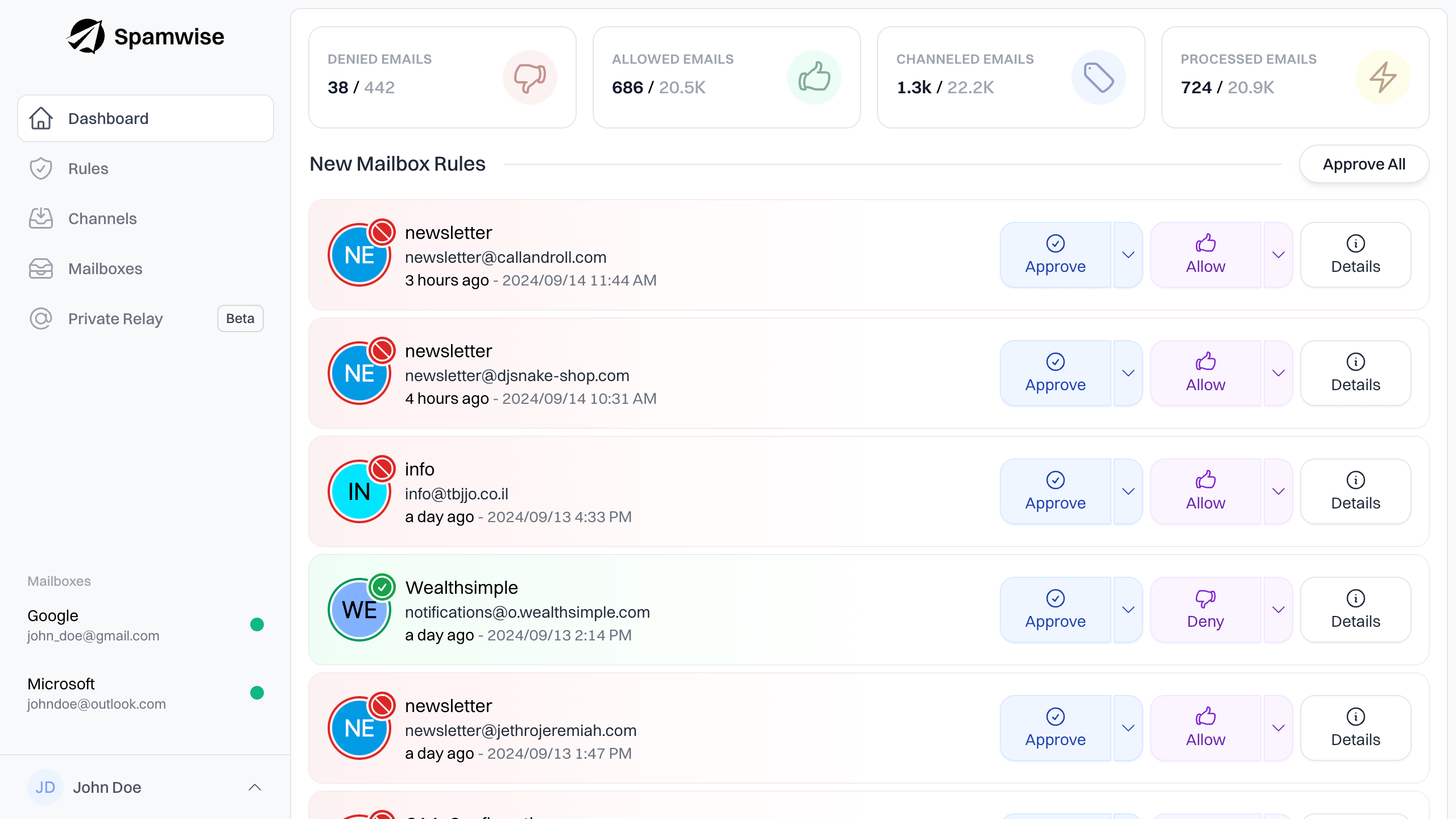
Understand your senders
Threat reports are generated for every new sender, giving you the information you need to ensure a sender is safe.
Analysis
Customize your spam filter
Everyone is different. Fully customize your spam filter to your liking by adjusting email categories you consider spam.
Monitoring
Always on the watch
Use any email client you want. Spamwise integrates directly into your email service, keeping you safe from the latest scams.


Source
Validate email authenticity
DKIM, SPF, DMARC, domain verification, IP checks, content scanning, and more, ensure emails are from a legitimate source.
Tracking
Identify sender location
IP addresses and their location are logged for every new sender, providing further understanding of their authenticity.
Compatible
Works with what you use.
Connect once, protect forever. Works directly with Gmail, Outlook, Apple Mail, and any IMAP provider—zero setup, zero learning curve, zero disruption.

Gmail

Outlook

Apple Mail
Other
Effortless
Set it and forget it.
No downloads, no setup, no learning curve. Spamwise works behind the scenes with your existing email—Gmail, Outlook, or any provider. Connect once and you're protected 24/7.

Why I Built Spamwise
Built by someone who's been there.
In 2020, I fell victim to a sophisticated phishing attack that bypassed my email provider's spam filter. It was a wake-up call. I realized that traditional spam filters weren't keeping up with modern threats because they relied on outdated rules and blacklists while attackers got smarter every day.
I built Spamwise to solve this problem for myself and others. Using AI that actually understands context, not just keywords, Spamwise catches the threats that slip through the cracks. You deserve better email protection.
Pricing
Take control of your inbox.
Free
Bring your own OpenAI API key.
You pay OpenAI directly for usage.
USD
per month / mailbox
What's included:
- Unlimited Mailbox Protection
- Unlimited Email Categories
- Not included:Unlimited Private Relay
Unlimited Personal
One flat fee per mailbox.
USD
per month / mailbox
What's included:
- Unlimited Mailbox Protection
- Unlimited Email Categories
- Unlimited Private Relay
Unlimited Business
Advanced features for organizations.
USD
pricing
What's included:
- Unlimited Mailbox Protection
- Unlimited Email Categories
- Unlimited Private Relay
- Custom Security Policies
- Advanced Reporting & Analytics
- Priority Support
- SSO Integration